
I chose the campus club fair and in my improved version is what the campus fair is about and furthermore, gives information on where the campus club fair is and including the time. I made changes by adding a time for students to know what time the fair is. For aesthetics, I realigned the picture on the flyers to match the white background. I also made a consistency with the font so it doesn’t confuse the audience on what to look out first. I utilized what I learned from the reading, which was the “Font family”: small, medium, and larger text.
Since I am somewhat new to using this platform, I ran into problems understanding how to format the text and objects properly. In PowerPoint, there are alignment features that I am unfamiliar with. Another obstacle I ran into is trying to align the picture with the white background.
When it comes to the picture, I decided to move it all to one side and make the date the same font as the body text. One thing I can improve is the amount of space I leave free between the body text and the date. If anyone has any tips, please share; I am always willing to learn and improve
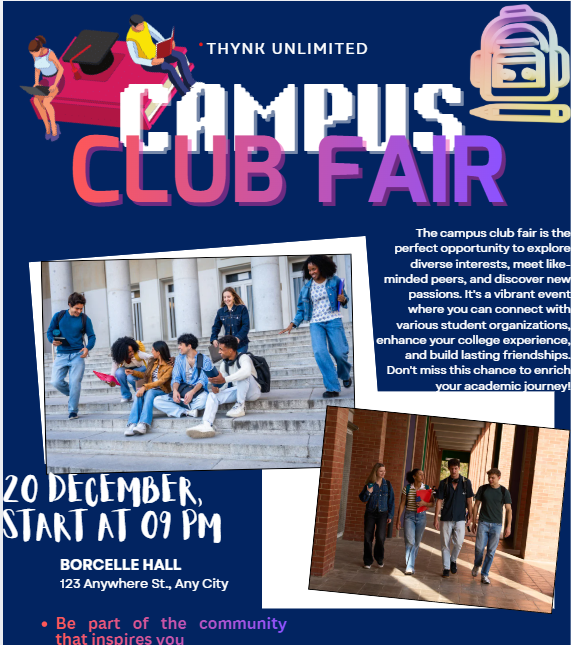
This is the before image
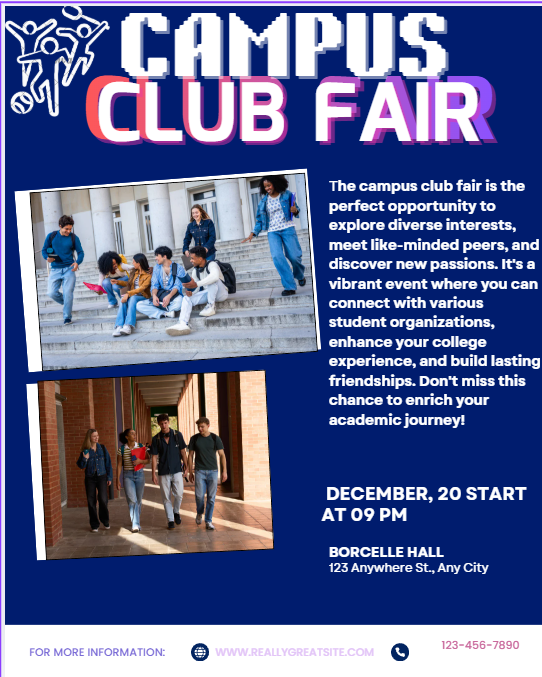
This is the after image I tried to fix. If you have any tips please comment. I am very new to this process.
Citation- Figure 1. Image of Professor Hayward, instructor of GMDS 23200: Introduction to Digital Humanities. Created using Canva on 10/21/26, as part of my course project.