
I had decided to make a better version of the Coffee Facts poster in todays class. The purposely made bad design was quite cluttered in terms of images and textboxes, overlapping each other and with too much information to differentiate from each other. In addition, the text boxes were too small to read and the font color blended into the background making it difficult to read. The poster itself was about coffee facts, made up and without any sources, so I took the liberty of changing the theme to different luxury coffee facts which I don’t know for sure how accurate they are but I kind of remember hearing this information somewhere so it’s probably correct. Visually, I switched the background image to be a more solid color, brown, with a small segment at the bottom for a white coffee cup. This made it easier to display text without constantly swapping between colors, and naturally drew people eyes from the top to the bottom of the page, also keeping the coffee theme front and center. The Canva essentials reading was the most useful for me, just in terms of getting me familiarized with how to add pages to Canva, pick a theme and get the basic navigation for tools down. I did need some help in class in regards to uploading images and text alignment, but they were pretty intuitive once I figured them out and are actually pretty easy to find on your own. The capybara was removed.
Image credit: This article from LLM Reporters: https://www.luxurylifestylemag.co.uk/food-and-drink/how-to-get-a-luxurious-barista-style-cup-of-coffee-at-home/ (Luxury Lifestyle Magazine, not Large Language Model)
I did not use AI for this assignment.
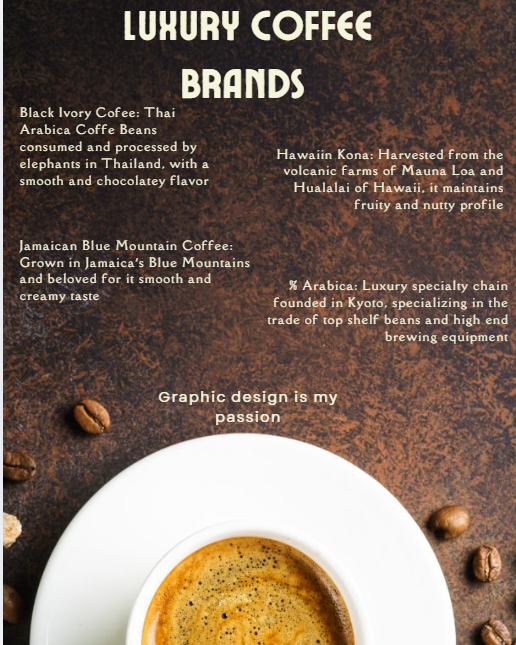
As per usual, I’m having some trouble uploading an image so let’s hope the sizing works with me today.