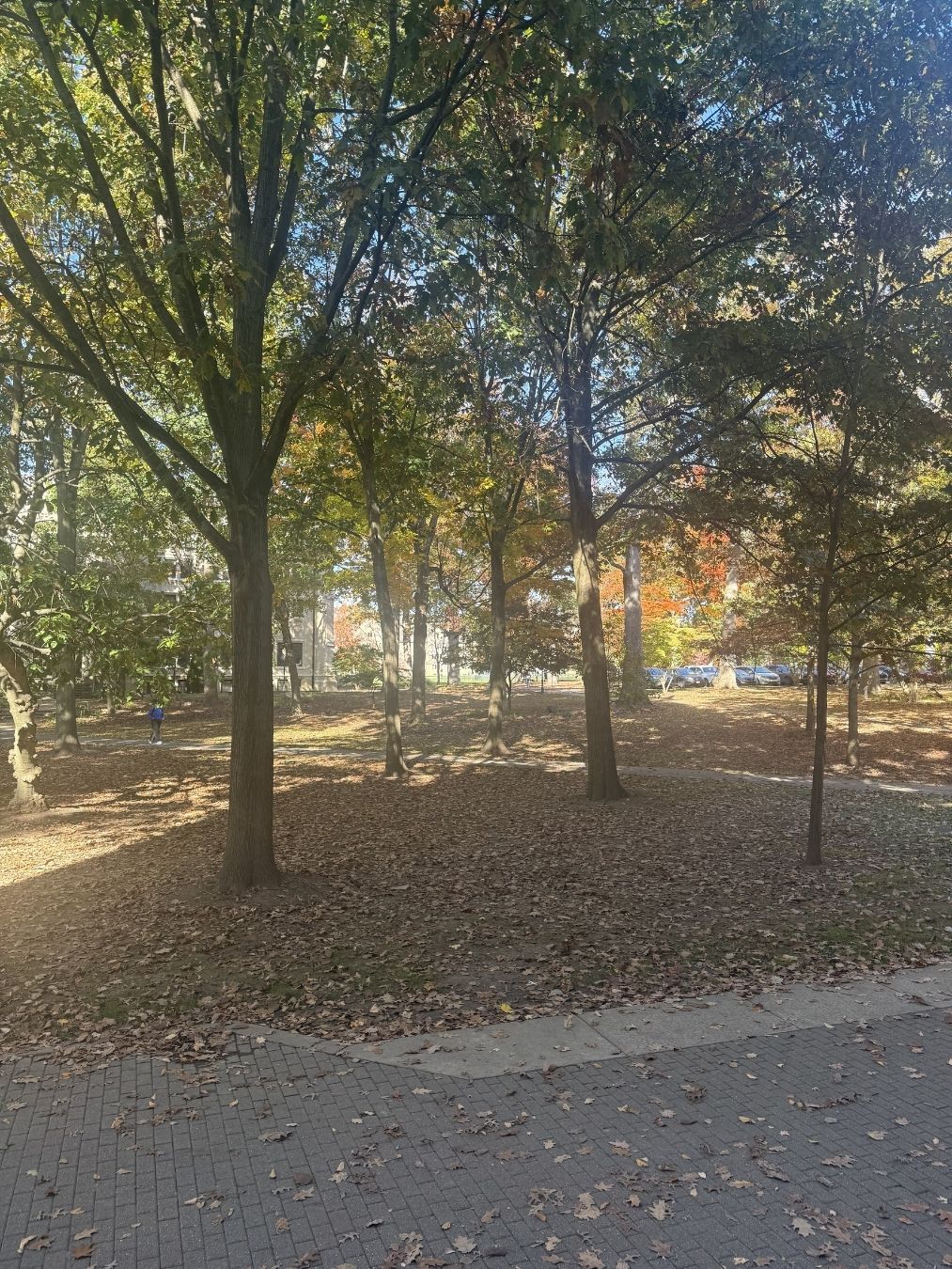
Brady Rahz – “Corridor”. 2026. CC BY
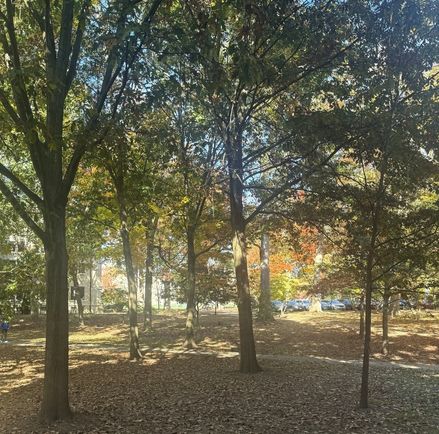
Brady Rahz – “Corridor”. Cropped on Canva. 2026. CC BY
Brady Rahz – “Corridor”. Cropped and edited on Canva. 2026. CC BY
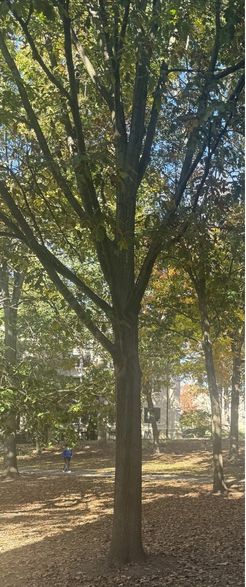
For my photo editing goals, I attempted to crop and resize my picture of the trees outside Kauke Hall to emphasize different aspects. In the first edited photo, I cropped out the ground and pathway and attempted to use the re-coloring tools to make the orange leaves stand out a bit more. This ended up making the picture way blurrier and I couldn’t exactly figure out which part of the process was responsible. Similarly, for the second image in which I just wanted to isolate the singular tree, it ended up being a pretty crunchy image despite only using the cropping tools. Were it a clearer image and not having the guy in the bottom left, it would maybe look alright as poster or vertical background. Maybe.
Referring to the Riecher reading, I took slightly differing approaches to how I wanted to edit these images. In the first one, I took a slightly more journalistic approach, trying to emphasize the changing color of the leaves. However successful I was is up to the reader, but it is interesting how I tried to bring attention to the point with slightly more invasive editing tools for the journalistic piece. For the second image II just wanted to make something that looked a little nicer, so more artistic in approach, and went for a more unusual vertical format and had a much more central subject, both in framing and what I wanted to be noticed, which is the tree itself as opposed to the leaves in the background.
Sources:
Riechers, Angela. “Visual Grammar for Photography.” In The Elements of Visual Grammar: A Designer’s Guide for Writers, Scholars, and Professionals. Princeton University Press, 2024. https://doi.org/10.2307/jj.6047949.10.
AI Used: Canva editing tools. Nothing for the writing or image generation.